
Adobe Rent a Car Costa Rica Review: Our Honest Experience
Disclaimer: This article may contain affiliate links. We may earn a commission at no extra cost to you
If you’ve spent any time on Costa Rica Vibes, you probably already know we’re big fans of Adobe Rental Car. We’ve rented with them more times than we can count over the past 8+ years of living here, and every experience has been smooth, transparent, and genuinely stress-free (which is not something we take for granted when it comes to renting cars abroad).
We recently had the chance to rent the Hyundai Kona from Adobe for two weeks. We created this post to give you a detailed review of what we experienced from the booking process to driving, to returning the vehicle. Plus, we’ve included some tips to make the whole process easier.
Whether it’s your first time renting a car in Costa Rica or you’re just looking for a reliable, local company to go with, here’s everything you need to know.
No time to read? We think super highly of Adobe Rent-a-Car! Go ahead and book your car with 10% discount plus other great perks here!
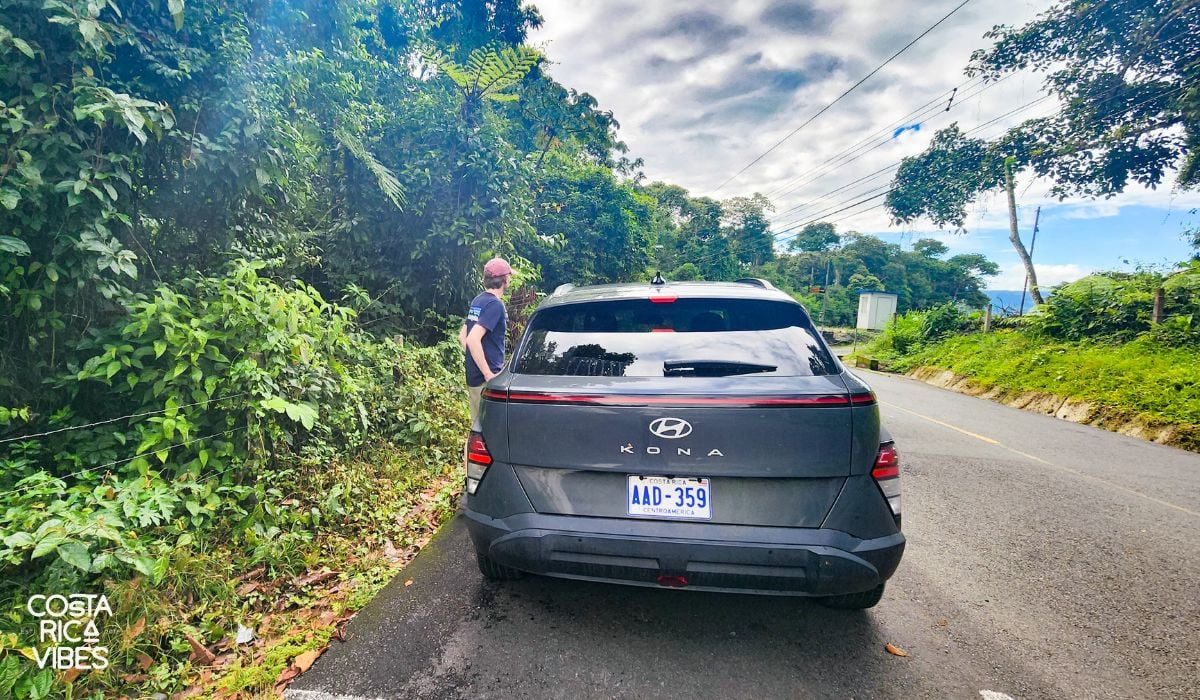
Adobe Rental Car at a Glance
Before we dive into the full review, here’s a quick overview of Adobe, including a few things to know up front:
- Adobe is locally owned and operated
- They have offices across Costa Rica, including at both major airports (San José & Liberia)
- They offer well-maintained vehicles in a wide range of sizes and styles
- Adobe has transparent pricing with no hidden fees
- We love Adobe’s great customer service (we’ll share real examples below)
This is our honest, personal review based on years of renting with Adobe, but full transparency: we are affiliates of Adobe, which means we earn a small commission if you book through our link (at no extra cost to you…actually you save money by booking through us).
When you book through our page, you’ll also get access to our exclusive Costa Rica Vibes discount, which includes:
- A 10% discounted daily rate
- Free second driver
- 0% deductible on Liability Insurance up to $100,000
- Free hotel delivery in select locations within 12 miles of their offices

Want to see exactly what’s included before booking?
→ View our full Adobe Rent a Car breakdown and discount details here
We only recommend companies we genuinely trust and use ourselves, and Adobe has earned that trust, over and over again.
Now let’s get into what the full experience actually looks like, starting with the booking process.
Booking Our Adobe Rental Car
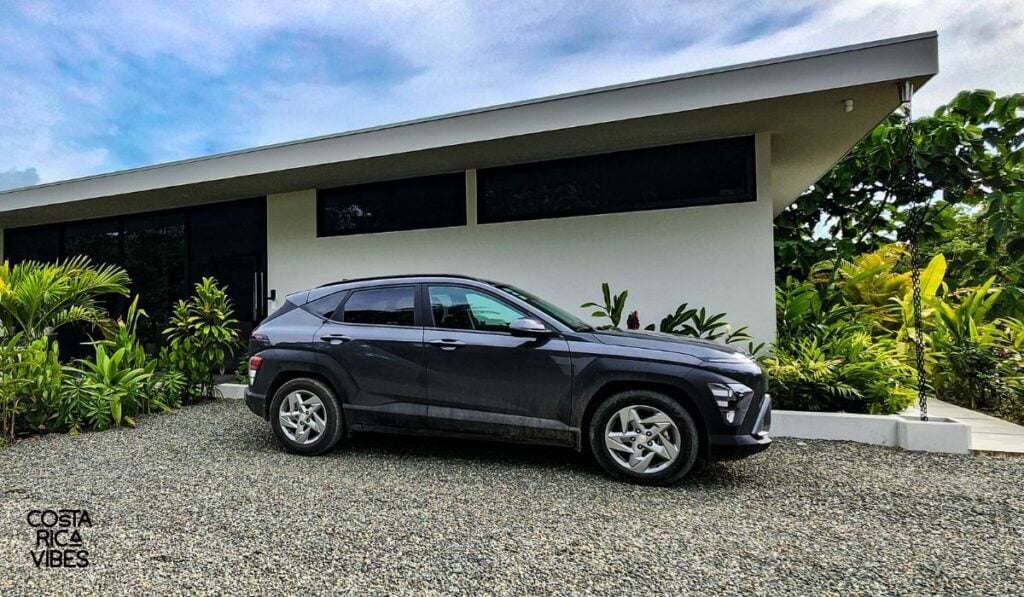
We’ve rented with Adobe many times now, and the booking process has consistently been smooth and straightforward (which, if you’ve ever tried renting a car abroad, is not always a given).
You can book directly through the widget on our site. It’s easy to plug in your pickup and drop-off locations, dates, and see a full list of available vehicles. In our experience, the Adobe site is fast, clear, and doesn’t feel overwhelming.
One of the best parts? You can drop the car off in a different location from where you picked it up. We’ve done this a few times (like flying into San José and out of Liberia) and it’s been super convenient.
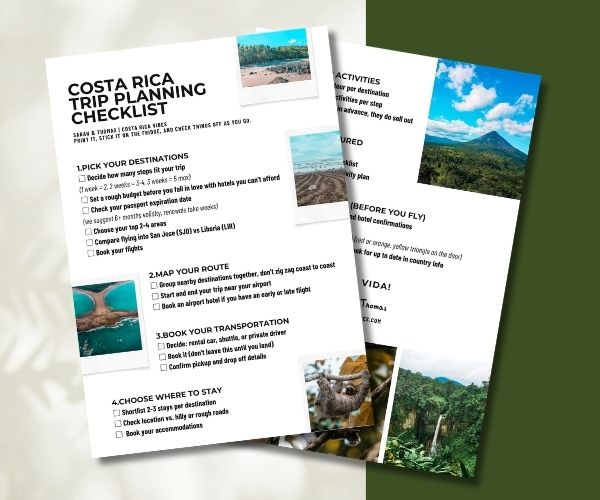
Planning a trip to Costa Rica? We’ll walk you through it step by step
Sign up now & get your free trip planning checklist instantly.
Another thing we’ve used (and loved) is their hotel delivery option. Adobe is happy to deliver your car to you at your hotel FOR FREE within 12 miles of any of their offices! We’ve done this a few times when we wanted a day or two to relax before driving, and it made everything easier. Just note it in the reservation and they’ll follow up with you to confirm.
Insurance: The Only Slightly Confusing Part
The only part of the booking process that’s ever felt a bit confusing (especially the first time) is understanding the required Costa Rican insurance options. So here’s what we’ve learned after doing this several times:
- Liability Protection (LDW): This is required by Costa Rican law. It’s not optional, and it’s not something your credit card can cover. You’ll see it automatically added to your booking.
- Collision Damage Waiver (CDW): This covers damage to the car itself. If your credit card includes rental insurance (and covers Costa Rica), you can decline this, but you’ll need to bring proof. Adobe requires a letter from your credit card company, dated within the past two weeks, confirming Costa Rica is included. We’ve gone both ways on this, sometimes using our credit card, sometimes just getting the extra coverage to keep things simple. Either way, they’ve been super clear and upfront at the counter.
- Extended Protection: This is Adobe’s all-in, no-worries option. We’ve used this a few times when we didn’t want to stress about anything (like scratches from narrow roads or unexpected tire damage). It’s more expensive, but it includes roadside assistance, and glass and tire coverage.
Adobe Rent-a-Car
- 10% discount for Costa Rica Vibes readers
- Free second driver
- 0% deductible on Liability Protection Insurance
- Excellent customer service
- New fleet of well-maintained vehicles
Vehicle Selection: What We’ve Found Works Best
Adobe has a wide range of vehicles, and we’ve tried several types over the years. Here’s what we’ve learned from experience:
- Compact cars (like the Hyundai Grand i10 or Suzuki Swift Dzire) are great for short trips on paved roads (especially places like San Jose, Jaco or Manuel Antonio). But if your hotel is up a hill or down a bumpy road (which happens more often than you’d think), you might struggle. We don’t usually recommend these unless you know for sure your route is smooth and flat.
- Mid-size SUVs (like the Hyundai Creta or Hyundia Kona) have become our go-to. They’re comfortable, offer decent clearance, and work great for places like La Fortuna, Tamarindo, or the Caribbean coast. We usually go for a 4×4 version, just in case (especially during the rainy season).
- Larger 4WD SUVs (like the Mitsubishi Montero or Hyundai Santa Fe) are what we choose when we’re heading somewhere more remote (like Nosara, Monteverde, or the Osa Peninsula). These are definitely more powerful and comfortable, but they are bigger, so they take a little getting used to on narrow roads.
- Passenger vans (like the Hyundai Staria) are ideal for when we’ve traveled with family or a larger group. Not the best for backroads or mountain towns, but perfect for airport pickups and getting around beach towns with a crowd.
Travel Tip: Unsure which car to rent? I’m happy to give you advice based on where you are going and how many people you are travel with. Just send me an email at sarah@costaricavibes.com or leave a comment at the bottom of this post.
How to Book Your Adobe Rental Car (Step-by-Step)
The booking process usually takes us less than five minutes.
1. Go to our Adobe Rental Car page
That’s where you’ll find the booking widget. It includes our exclusive discount and extra perks like a free second driver, and free car or booster seat if you’re traveling with kids.
2. Enter your pickup and drop-off locations & times
You will most likely be selecting the San Jose International Airport or the Liberia International Airport, but Adobe also has offices around the country. You can also select different cities, for example, pick up in San José and drop off in Liberia for a reasonable extra fee.
3. Choose your car
Scroll through the available options for your dates. You’ll see pricing for each car along with how many people and bags it fits.
4. Select insurance & any extras
You’ll be prompted to choose from the different insurance levels including the Extended Protection option we often go with for peace of mind. You can also add:
- WiFi hotspot
- GPS
- Child seat / booster seat (included for free, just make sure to request it)
5. Enter your contact info and click reserve
You’ll get a confirmation email right away. Sometimes Adobe will follow up to ask for a credit card number to finalize the reservation, but you won’t be charged until you pick up the car.
We made a video walkthrough of the booking process
Speeding Things Up: Pre-Register Online
After you book your reservation, you’ll receive a confirmation email from Adobe. Inside that email is a link to pre-register your info, things like your driver’s license, passport number, and credit card details.
We highly recommend doing this before you arrive. It makes check-in way faster at the counter, especially if there are other travelers ahead of you. When we’ve skipped it, we’ve definitely noticed the delay.
Final Tips
- Book early: Adobe is popular and cars sell out, especially in high season (Dec–April).
- It’s free to modify or cancel, so you can always adjust your reservation later.
- The whole process is easy: no confusing fees, and you’ll see all costs clearly up front.
Picking Up Your Adobe Rental Car in Costa Rica
Let’s be real, the last thing you want after a long international flight is a complicated pickup process. Thankfully, Adobe makes things super smooth.
Last time we picked up a car, we had just flown in from Europe. It was 5pm local time, but 1am in our heads, and we were absolutely exhausted. After making it through border control and grabbing our bags, we stepped out into the warm Costa Rican air… and were immediately met with the usual airport chaos.
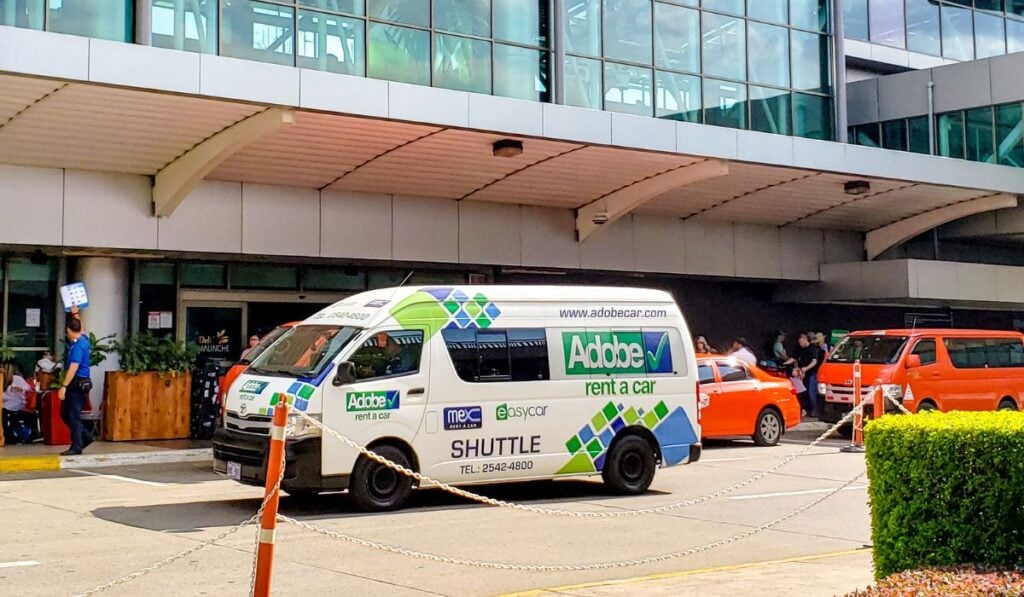
As you exit the airport (this applies to both SJO and LIR), you’ll see a crowd of people holding signs; taxi drivers, tour operators, hotel reps. It can be a bit overwhelming at first, but don’t panic. Just walk along the crowd until you see someone holding a sign with the Adobe logo. They usually stand near the front, but you may have to walk a short way down the sidewalk to spot them.
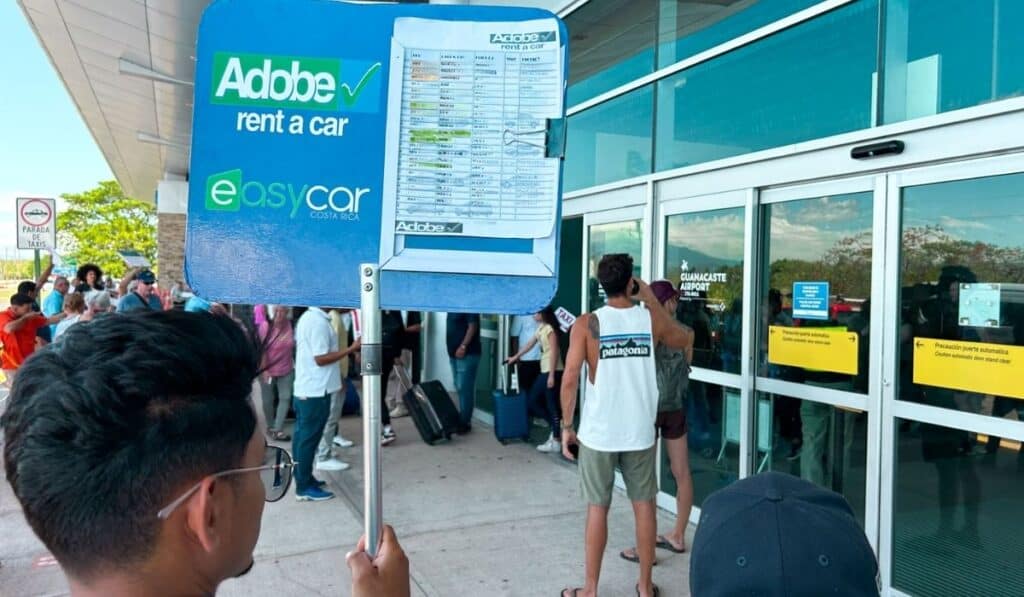
Once you find them, just give them your name, they’ll check it off their list, help with your luggage, and get you into an air-conditioned Adobe shuttle van.
The drive to the Adobe office takes about five minutes. It’s not directly on airport property (most of the rental car companies aren’t) but we’ve actually come to appreciate that. It gives you a minute to breathe, and you don’t have to merge straight onto the highway while jet-lagged and disoriented. Honestly, kind of a win.
When we arrived at the Adobe office, there were a few people in line ahead of us, but everything moved quickly. I waited in the comfortable lounge area, sipping some cold water while Thomas handled the paperwork at the counter. Within about 10 minutes, we were being shown to our vehicle.
Everything was seamless and incredibly convenient. Basically, exactly what you want after a long day of travel.
You Might Like:
- San Jose Costa Rica Airport Guide
- The Best San Jose Costa Rica Airport Hotels
- San Jose Airport or Liberia Airport Guide
- Complete Guide to Landing and Departing at Liberia Airport
- Guide to the 27 Best Liberia Airport Hotels
What It’s Like Driving in Costa Rica
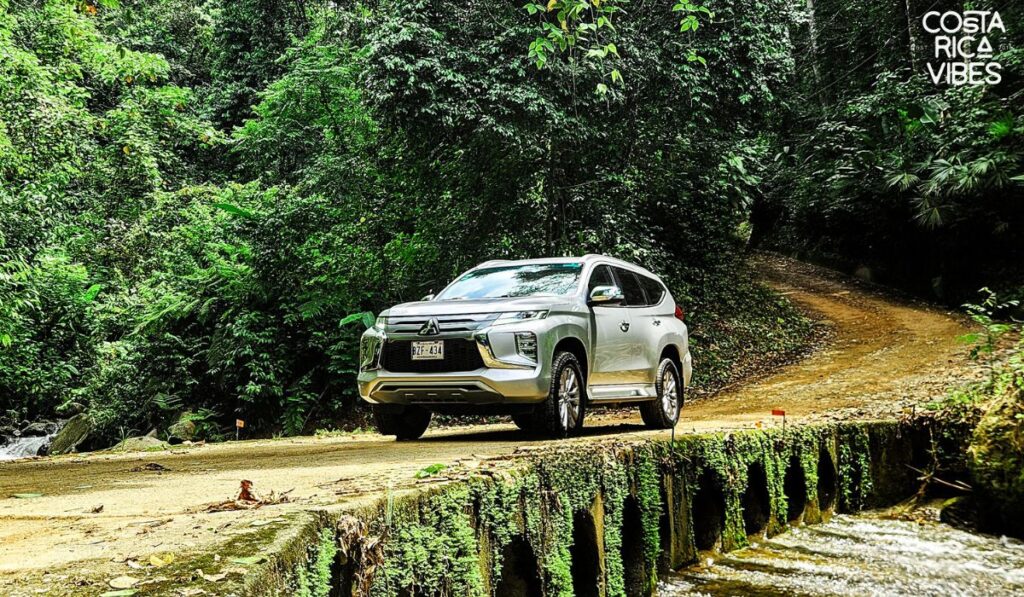
Honestly, if you’re a somewhat confident and experienced driver, it’s pretty straightforward. That said, it’s not exactly like driving in the U.S. or Europe, and there are a few quirks to be aware of.
We’ve lived here for over 8 years, and while Thomas does all the driving (he’s our unofficial chauffeur at this point), we’ve never had an accident. That said, it took a little time to adjust, and we’re still extra cautious, especially on rural roads.
Road Conditions & Driving Style
Major highways and main tourist routes are generally well maintained, but rural and coastal roads can be rough, especially during the rainy season. Expect potholes, gravel stretches, and sometimes sudden dips or steep inclines that don’t show up on Google Maps.
Driving culture here leans a bit aggressive. People might pass on curves, brake suddenly, or edge into your lane without warning. It’s manageable, but you’ll want to stay alert and drive defensively.
Also, I swear that the motorcyclists think the two yellow lines in the middle of the road are their lane. Watch out for them. They can make some really dumb moves.
I know, I’m really not painting it in a positive picture. But, truthfully it’s not bad.
Navigation Tip: Use an eSIM Instead of GPS
We always recommend using Waze or Google Maps, both work well in Costa Rica. Waze tends to be more accurate with traffic and route changes.
Instead of renting a GPS device, we suggest getting an eSIM for your phone (or a local SIM card if you’re unlocked). It’s much more affordable and gives you the flexibility to stay connected for directions, restaurant searches, or beach detours.
Fun Fact: There are no addresses in Costa Rica. Yea, crazy right? So, you will need to navigate by putting in the name of your destination into your GPS app.
If You Run Into Trouble on the Road
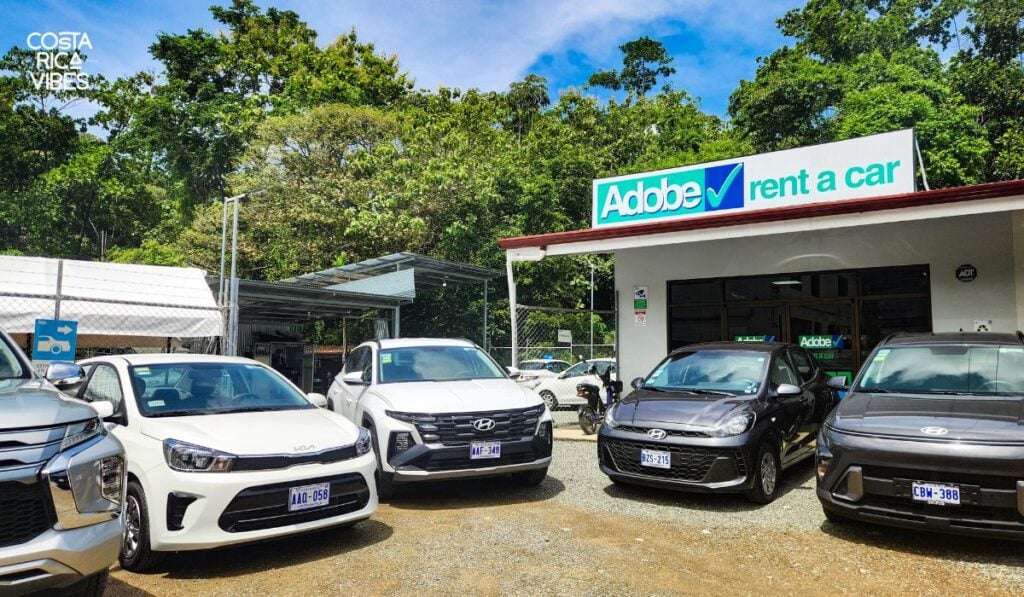
If you ever run into car trouble, Adobe’s customer service is excellent. The last time we stopped at their Uvita office, they were helping a couple who’d run into a minor mechanical issue. The Adobe staff diagnosed it quickly, sorted it out, and had them back on the road in no time.
They’re also responsive in case of emergencies like accidents or break-ins. You’ll be given a 24/7 contact number at pickup, and we’ve heard from other travelers that Adobe is quick to send help or guide you through what to do, whether it’s filing a report or swapping out your vehicle.
Other Driving Tips
- Some highways (especially near San José) have tolls. Keep small cash (colones) on hand — amounts are usually around 200–800 CRC.
- Gas stations are full-service. Just pull up and let the attendant know how much you want. Most accept credit cards.
Returning Your Adobe Rental Car
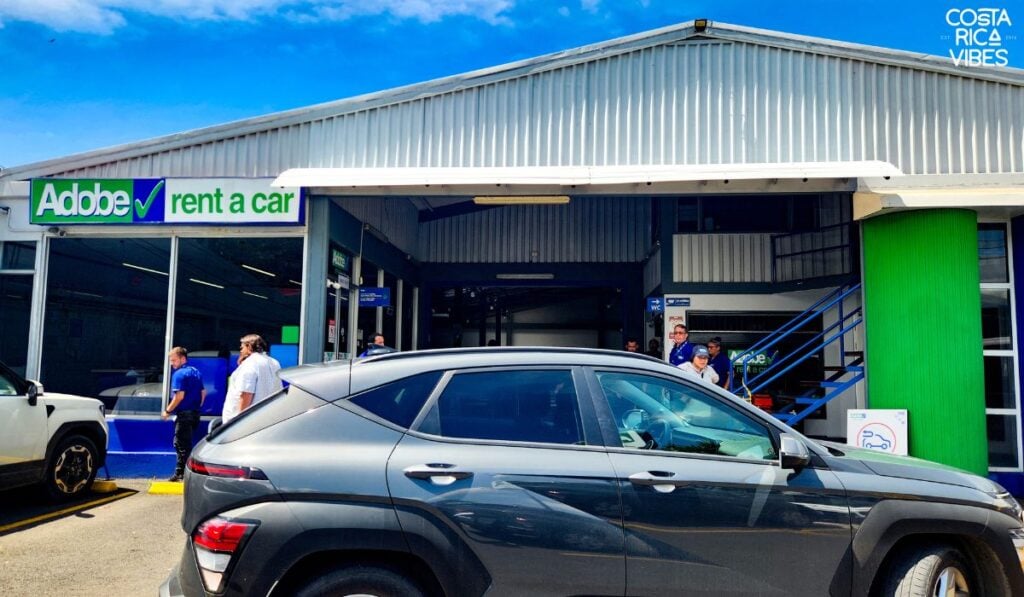
Dropping off a rental car at the end of your trip can sometimes feel rushed or chaotic. But in our experience, Adobe has consistently made the return process easy and efficient.
We’ve returned cars to both the San José (SJO) and Liberia (LIR) locations, and each time it’s gone smoothly.
You’ll return the car to the Adobe office, not directly to the airport, but don’t worry, it’s only a five-minute shuttle ride away, and they’ll get you to your terminal quickly after you drop off the vehicle.
Your car needs to be returned with a full tank of gas, so we recommend stopping at a nearby gas station before pulling in.
When we returned our car last time, the Adobe office was super busy. The parking lot was full and there were quite a few other travelers dropping off vehicles at the same time. But even with the crowd, we spent no more than 10 minutes total. A staff member came out, gave the car a quick inspection, and walked us through the paperwork confirming everything was good to go.
After that, they removed the $1,000 credit card hold, and we were on the shuttle back to the airport. Easy.
A Few Quick Tips
- Allow enough time: Especially around San José, traffic can be unpredictable. We recommend arriving at Adobe about 3 hours before your flight.
- Keep your paperwork handy: It makes the process faster if you have your rental agreement and pre-check documents ready.
- Hotel returns are also possible: If you arranged to have the car picked up at your hotel instead of returning it at an office, Adobe will confirm everything with you in advance.
Final Thoughts: Is Adobe Rental Car Worth It?
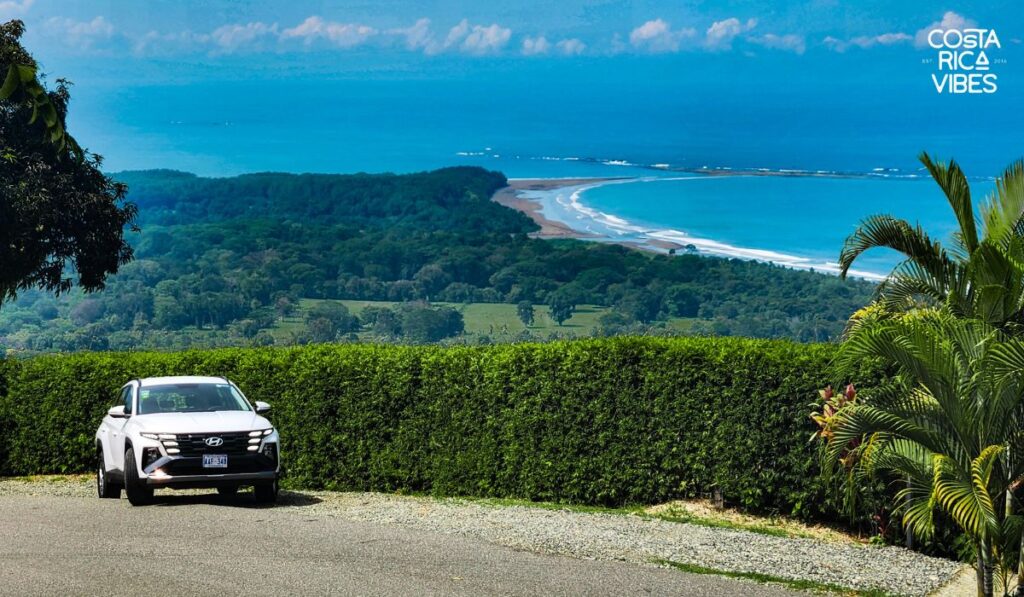
After years of living in Costa Rica and renting cars regularly, for work, family visits, and road trips around the country, we can confidently say: Adobe is our go-to rental car company, and has been for years.
We’ve had nothing but great experiences with them: easy online booking, friendly and professional staff, clean, well-maintained vehicles, and super responsive customer service.
When it comes to renting a car in Costa Rica, you truly get what you pay for. We’ve heard (and personally experienced) enough horror stories with budget companies to know that a few dollars saved upfront can lead to a world of headaches later.
One of the first times we rented a car in Costa Rica, we got hit with surprise insurance charges at the counter that nearly doubled our cost. It was a hard lesson in always reading the fine print. With Adobe, you don’t have to worry about that. They are completely upfront with their fees. All the mandatory insurance costs are disclosed from the start, so you know exactly what you’ll pay, no shady add-ons or surprise fees when you arrive.
👉 You can read about our bad experience here
And as a bonus? Adobe is a Costa Rican company, and in a country like this, we love supporting local businesses whenever we can. They understand the roads, the culture, and the needs of travelers here in a way that international chains just don’t.
Every time we’ve rented with Adobe, the process has been clear, easy, and reliable. And when something unexpected comes up (like the time we saw them helping a couple in Uvita with a minor car issue), their team handles it with kindness and urgency.
In conclusion, if you want peace of mind, a smooth pickup process, and no stress on the road, Adobe is absolutely worth it.
You Might Also Like:
🌴 Plan Smarter, Travel Easier
Before you go, here are the tools we personally use for every Costa Rica trip:
🚗 Should I rent a car in Costa Rica?
Having your own car gives you the most flexibility to explore beaches, volcanoes, and waterfalls at your own pace.
- Save 10% Plus Other Perks with Our Adobe Rental Car Discount
- You might also consider; shared or private shuttle services
🏄🏽 How can I book tours and activities?
We love Viator for its wide selection, verified reviews, and free cancellation on most tours.
🍍 I’m overwhelmed with planning. Can you help?
No worries! We’ve got you! You can:
- 📧 Sign up for our email list (we walk you through the planning process step-by-step)
- 🗺️ Visit our Start Here Page for planning guidance.
- 💼 Check out our ready-made Costa Rica itinerary for the perfect one-week trip plan
- 🤖 Try Slothy, our free AI trip planner, for a personalized route with hotel and destination suggestions.
✈️ What is the best way to book a flight?
Use Skyscanner to compare flights into both San José (SJO) and Liberia (LIR).
🛏️ What is the best way to book my Costa Rica hotels?
We like Booking.com for hotel bookings and VRBO for private villas and vacation homes.
🗣️What is the main language in Costa Rica?
The main language in Costa Rica is Spanish. Most people working in tourism speak at least some English.
💰 What is the currency in Costa Rica?
The currency used in Costa Rica is the Costa Rican colón (CRC). However, the US dollar is widely accepted in most tourist areas
📞 What is the best way to stay connected?
An eSIM from Airalo is the easiest way to get instant 4G data when you land. No kiosk or SIM swap required.
🌴 Is Costa Rica safe?
Generally, Costa Rica is considered safe for tourists. However, like any travel destination, it’s best to use caution and be aware of your surroundings.
🛂 Do you need a passport to go to Costa Rica?
Yes, Costa Rica is its own country. You will need a passport to visit.

Hi! We’re Thomas (the German) and Sarah (the US-er)
We met in Virginia, moved to Germany, and since 2016 we have lived in sunny Costa Rica.
It was a spontaneous decision to move here, but it was the best decision!
Now we spend our days roaming the country to bring you the very best in Costa Rica travel here on Costa Rica Vibes.
Sarah is the writer. Thomas is the one keeping it all together.
Want the whole crazy story?

Sarah McArthur
Sarah McArthur is the co-founder and main writer of Costa Rica Vibes.
She is originally from the United States but has lived in sunny San Jose, Costa Rica since 2016.
She has traveled all over the country and now considers herself a self-proclaimed Costa Rica travel expert.
Read More About the Author